Free WiFi is available in all public areas of Minneapolis-Saint Paul International Airport (MSP). Passengers can connect to the internet by selecting the "MSP Airport WiFi" network, accessible across both terminals. This guide explains how to connect to Minneapolis Airport WiFi and what to do if there are any connection issues.

Does Minneapolis Airport Have Free WiFi?
Yes, Minneapolis Airport provides free WiFi across both terminals and public areas. The service is available in four-hour complimentary sessions, and passengers can request a new session each time one expires.
Minneapolis Airport WiFi Name
The official WiFi network at Minneapolis Airport is "MSP Airport WiFi". When connecting, make sure you select this network to access the free service.
Note: The network name (SSID) may occasionally change. If you are not sure which network to select, check the airport's information displays or ask an airport staff member for assistance.
How to Connect to Minneapolis Airport Free WiFi
Connecting to the free WiFi at Minneapolis Airport (MSP) is simple and takes only a few steps. The service is available across both terminals. To connect, follow the steps below:
Open the Settings on your device.
Enable WiFi if it is not already on. This option is usually found under the "Wireless" or "Networks" section.
Select "MSP Airport WiFi" from the list of available networks.
The airport's WiFi login page will open automatically in your browser.
Read the terms of use, accept them, and tap Submit.
Note: If the login page does not open automatically, try refreshing your browser or reconnecting to the network.
Minneapolis Airport WiFi Not Working?
If you are having issues connecting to the free WiFi at Minneapolis Airport, try the following steps:
Check your WiFi settings: Make sure WiFi is enabled and Airplane Mode is turned off.
Verify the network name: Connect only to the official Minneapolis Airport WiFi network.
Reconnect to WiFi: Turn WiFi off, wait a few seconds, then turn it back on.
Open a web browser: Visit any website to open the WiFi login page.
Disable VPN temporarily: A VPN connection may prevent the login page from loading.
Note: If the problem continues, airport staff can help you with connecting to the internet.
Using an eSIM at Minneapolis Airport and Across the United States
Free WiFi at Minneapolis Airport is convenient, but it is only available within the airport. Passengers who need reliable internet access both at the airport and during their trip in the United States may prefer to use a global eSIM instead:
Quick setup: Mobile data activates as soon as the eSIM connects to a local network.
Internet access beyond the airport: Use mobile data anywhere without depending on airport or hotel WiFi.
Private mobile data: Access the internet through your own cellular connection based on your travel needs.
Nationwide coverage: Mobile data works across the United States, not just in Minneapolis.
Security Risks of Using Public WiFi Networks
Public WiFi networks can pose security risks, especially in busy locations such as airports. Passengers who connect to these networks may face the following issues:
Personal data theft: Information sent over open WiFi networks can be intercepted by other users.
Untrusted networks: Some WiFi networks may look legitimate but are created to collect personal data.
Harmful software: Shared connections can increase the risk of encountering malicious software.
Screen visibility: People nearby may be able to see sensitive information on your device screen.
Note: To reduce these risks, avoid entering passwords, payment details, or other sensitive information while connected to public WiFi.
For more information, you can read our guide on Is Airport WiFi Safe.
How Roamless eSIM Offers a Secure Alternative
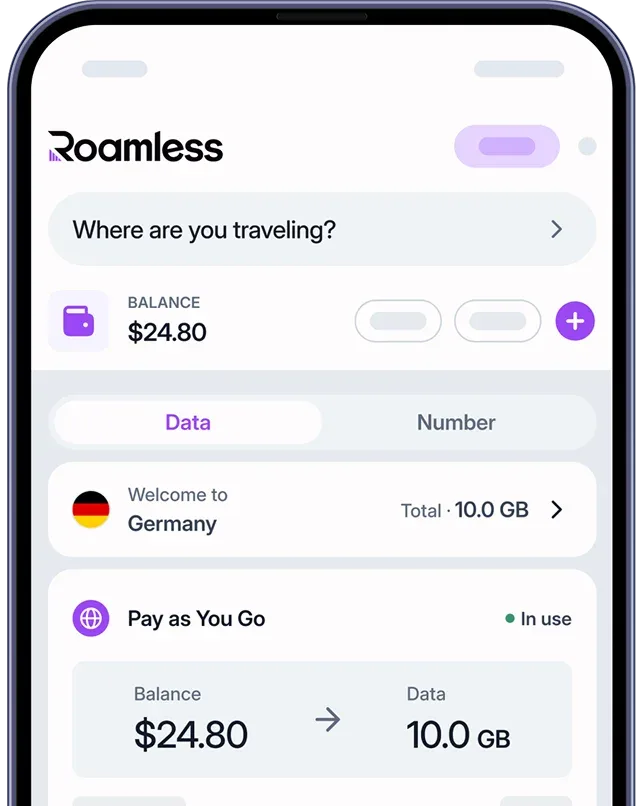
A travel eSIM like Roamless allows you to access the internet without relying on public WiFi networks, offering a more reliable way to use the internet while traveling.
Private mobile connection: Internet access is provided through a personal cellular network instead of a shared public WiFi connection.
Automatic activation: The eSIM can be set up in advance and activates on its own when your device connects to a local network.
Fully digital experience: The entire setup process is done online, with no need to go to a store or change physical SIM cards.
Extensive coverage: Mobile data is available throughout the United States and in more than 200 destinations around the world.
For more information, visit our page on eSIM United States of America.
You can also check out our other guides such as Philadelphia Airport WiFi, Detroit Airport WiFi, Houston Airport WiFi, Dallas Airport WiFi, Seattle Airport WiFi.
Source: