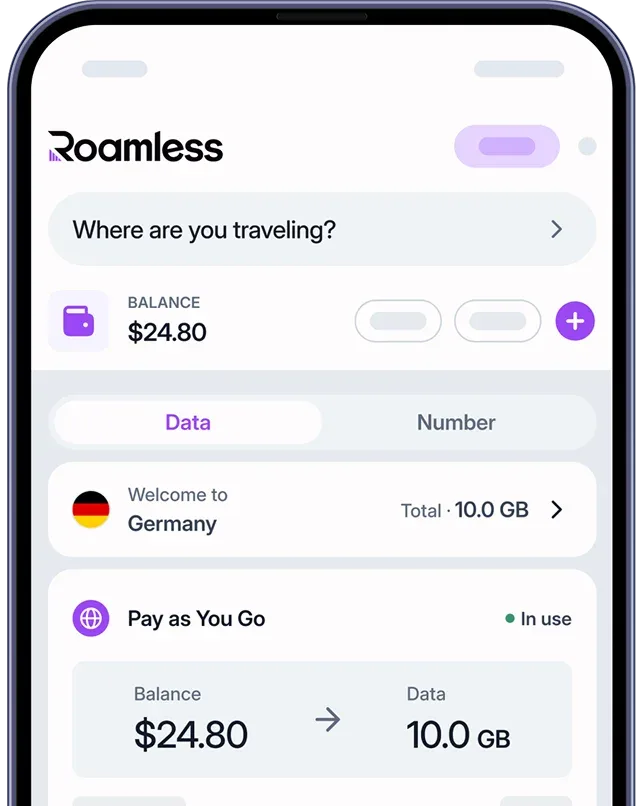
Prime Video (Amazon Prime Video) is a popular streaming platform available in many countries, and it can use a significant amount of mobile data. How much data it uses depends on the video quality you select, the device you are watching on, and the speed of your network connection. Lower quality settings consume less data, while high definition and ultra high definition options can use several gigabytes per hour. If you plan to watch Prime Video while traveling abroad, using a global eSIM like Roamless can help you manage your mobile data and avoid unexpected roaming costs.
How Much Data Does Prime Video Use?
Prime Video uses about 700 MB per hour on standard definition, about 3 GB per hour on high definition, and about 7 GB per hour on ultra high definition. The table below shows approximate data usage at each quality level:
Video Quality | Estimated Data per Minute | Estimated Data per Hour | Estimated Data per Week (1 hour per day) |
Standard Definition (SD) | About 12 MB | About 700 MB | About 5 GB |
High Definition (HD 1080p) | About 33 MB | About 2 GB | About 14 GB |
Ultra High Definition (4K) | About 128 MB | About 7.7 GB | About 54 GB |
Table 1: Estimated Prime Video data usage per minute, per hour, and per week
Disclaimer: These values are approximate and actual usage may vary depending on your mobile device, network connection, and the type of content you are watching.
Note: Prime Video automatically selects the highest available streaming quality based on your network speed [1].
Prime Video Data Usage on Smartphones vs Smart TV
The device you use to watch Prime Video can affect how much data it consumes. Smartphones and tablets tend to show content at lower resolutions due to their smaller screen sizes, which can lead to lower data consumption overall. On a Smart TV, Prime Video is more likely to select higher resolutions, which can increase the amount of data used. The table below shows approximate data usage by device type:
Device | Typical Resolution | Estimated Hourly Data Usage | Notes |
Smartphone | 480p to 1080p | About 700 MB to 3 GB | Smaller screens generally lead to lower resolution playback, which uses less data. |
Smart TV | 1080p to 4K | About 3 GB to 7 GB | Larger screens are more likely to play content at higher resolutions, which uses more data. |
Table 2: Estimated Prime Video data usage by device type
Disclaimer: These values are approximate. Actual data usage may vary based on your device, network conditions, video quality settings, and Prime Video app version.
Note: Prime Video is available on some Smart TV models. Supported features, including video quality options, may differ depending on the specific TV model you are using [2].
Comparing Prime Video Data Usage to Other Streaming Platforms
Prime Video uses a similar amount of data per hour compared to other major video streaming platforms. Prime Video uses about 700 MB per hour on standard definition, about 3 GB per hour on high definition, and about 7 GB per hour on ultra high definition. The table below shows how Prime Video compares to other video streaming platforms:
Streaming Platform | Standard Definition (per hour) | Full HD (per hour) | Ultra High Definition / 4K (per hour) |
Prime Video | About 700 MB | About 3 GB | About 7 GB |
Netflix | About 700 MB | About 3 GB | About 7 GB |
Disney Plus | About 700 MB | About 2 GB | About 7.7 GB |
HBO Max | About 600–700 MB | About 2.5–3 GB | About 6–7 GB |
Table 3: Estimated data usage across major video streaming platforms per hour
Disclaimer: These values are approximate. Actual data usage may vary depending on your video quality settings, device, network conditions, and app updates.
For more information, you can check out our posts on How Much Data Does Streaming Use, How Much Data Does Netflix Use, How Much Data Does Disney Plus Use, How Much Data Does HBO Max Use.
How to Check Prime Video Data Usage on Your Mobile Device
You can find out how much data Prime Video has consumed by accessing the data monitoring tools built into your device. The process varies depending on your operating system. Keeping track of your usage can give you a better idea of how much mobile data Prime Video requires while you are watching content.
For iPhone Devices:
Open the Settings app and select "Cellular."
Scroll down to locate Prime Video in the app list and review the data amount displayed next to it.
To start tracking from a specific date, scroll to the bottom of the page and tap "Reset Statistics."
For Android Devices:
Open the Settings app and select "Apps."
Find and tap Prime Video from the list.
Select "Mobile Data" or "Data Usage" to view how much data the app has used, including background activity.
You can reset the usage cycle to track your consumption over a specific period.
Disclaimer: The steps above may vary depending on your device model and operating system version. For the most accurate guidance, please refer to your device manufacturer's official support resources.
Tips to Reduce Prime Video Data Usage
There are several steps you can take to reduce the amount of data Prime Video uses on a mobile connection. Small adjustments to your settings can make a noticeable difference, especially if you are traveling or have a limited data plan.
Adjust your streaming quality settings: Prime Video allows you to manually select your preferred streaming quality within the app. Choosing a lower option such as Good or Data Saver can significantly reduce the amount of data consumed per hour.
Download content in advance: You can download movies and shows to your device beforehand so you can watch them offline without consuming mobile data during playback.
Turn off autoplay: You can disable the autoplay feature in Prime Video settings to prevent the next episode from playing automatically, giving you more control over how much data you use per session.
Background activity limits: You can restrict background app activity in your device settings to prevent Prime Video from using mobile data when you are not actively watching.
Adjust settings on each device separately: You can configure streaming quality settings on each device individually, as Prime Video applies these preferences per device rather than per account.
Disclaimer: Available options may vary depending on your device, your Prime Video app version, and your operating system. Please verify the options within your current Prime Video app settings.
Note: Prime Video content can be downloaded for offline viewing on iOS, Android, macOS, Windows 10, and Fire tablet devices [3].
Watching Prime Video Abroad Using Roamless eSIM
Prime Video can consume a considerable amount of mobile data while you are traveling internationally, especially when streaming at higher resolutions. A travel eSIM like Roamless can help you manage your data costs and access the internet more easily during your trip.
Global coverage: Roamless provides mobile data coverage in more than 200 destinations, so you can access Prime Video across different countries while you travel.
High-speed connectivity: Roamless offers fast mobile data connections with speeds up to 5G, without applying speed restrictions that could affect your video streaming quality.
Device compatibility: Roamless works with both iOS and Android devices and does not require a physical SIM card swap when you travel.
In-app data tracking: The Roamless app allows you to monitor your data usage in real time, helping you estimate how much data Prime Video may consume during your trip.
For more information, you can read our guides on How to Avoid Roaming Charges and How Much Data Do I Need for Travel Abroad.
Frequently Asked Questions
Does Prime Video use a lot of data?
Sometimes. The amount of data Prime Video consumes depends on a number of factors, including your chosen streaming quality, your network connection, how often you watch, and whether you use the offline download feature. At standard definition, Prime Video uses about 700 MB per hour. High definition requires about 3 GB per hour, and ultra high definition can reach about 7 GB per hour.
How much data does Prime Video use to download an episode?
The data used for a download depends on the quality level you select and the length of the episode. Prime Video offers multiple download quality options. A one-hour episode at a lower quality setting can use less than 1 GB, while higher quality settings will require considerably more data.
How long will 1 GB of data last when watching Prime Video?
With 1 GB of mobile data, you can watch approximately 1 to 1.5 hours of content in standard definition. Selecting a higher video quality setting will reduce this viewing time.
Does Prime Video use more data on 4K compared to HD?
Yes. Streaming in ultra high definition on Prime Video uses around 7 GB per hour, compared to approximately 3 GB per hour for high definition. Higher resolutions require more data to render the image on screen.
Sources:
[1] Prime Video: Help. ''Issues with Live Streams on Prime Video'', Accessed in March, 2026. - https://www.primevideo.com/help?nodeId=GP57SKQ7CB5DRS6F
[2] Prime Video: Help. ''Smart TVs with the Prime Video App'', Accessed in March, 2026. - https://www.primevideo.com/help?nodeId=GK4GR2DKAKDK92H9
[3] Prime Video: Help. ''Download Prime Video Titles'', Accessed in March, 2026. - https://www.primevideo.com/help?nodeId=GMF637NHNEF9D8GT