What is an eSIM?
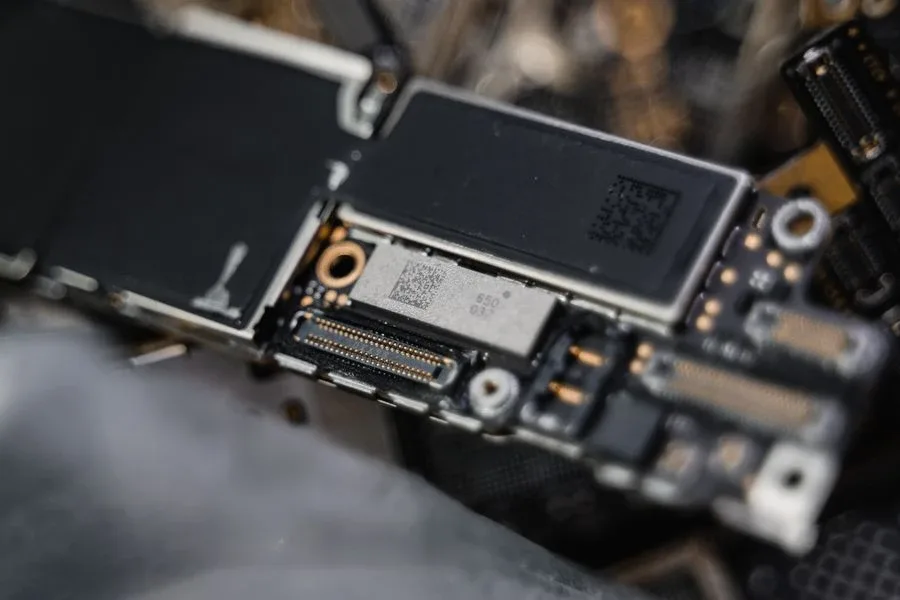
eSIM stands for embedded SIM. Unlike a traditional SIM card, the small removable chip you slot into a tray in your phone, an eSIM is soldered directly into your device's motherboard at the factory. You can't lose it. You can't take it out. And you don't need to.
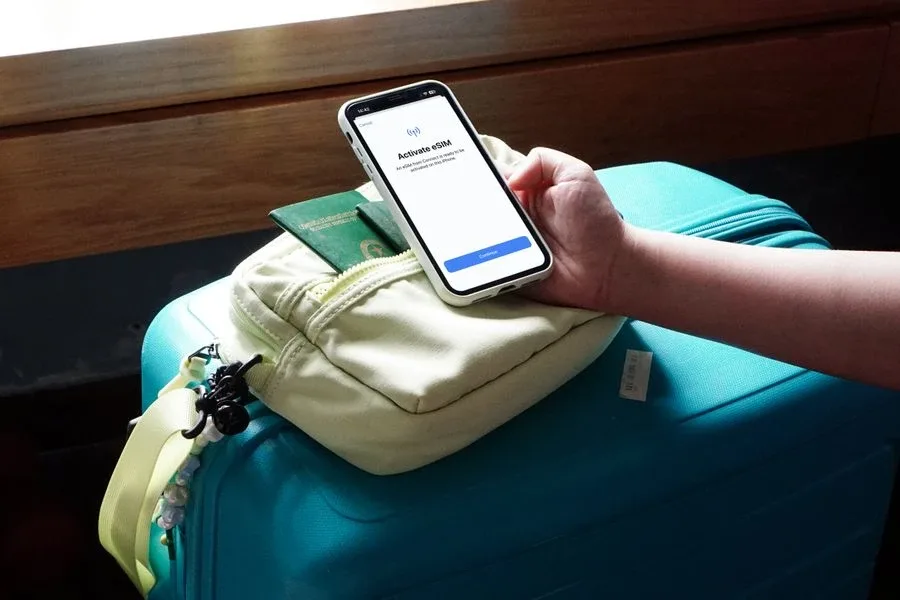
The "embedded" part changes how you connect to a carrier. With a physical SIM, you go to a store, they give you a card, you insert it. With an eSIM, that whole process happens digitally. You scan a QR code, tap through the provider's app, or enter a setup code. Seconds later, your phone is connected to a network.
One eSIM chip can store multiple profiles, each representing a different carrier or data plan. Think of it like a digital wallet with multiple cards inside. Most phones let you run one or two at once while the rest stay stored and ready. You choose which ones are active.
eSIM isn't new. The GSMA standardized the technology in 2016. What's changed is adoption: around 60% of new smartphones now ship with eSIM support, and GSMA Intelligence forecasts over 4.9 billion eSIM smartphone connections worldwide by 2030, more than half of all smartphone connections on the planet. For most people buying a phone today, eSIM is the default.
How does an eSIM work?
An eSIM works through remote provisioning, downloading a carrier profile over the internet rather than receiving it on a physical chip.
When you buy an eSIM plan, the provider generates a profile on a secure server. They send you a QR code, or you can install it directly through their app. Scan the code or tap through the app, your phone connects to that server, and the profile downloads onto your eSIM chip. That download is the installation step. Activation is what happens next, when the eSIM first connects to a carrier’s network in your chosen destination. The mechanism behind that exchange is remote SIM provisioning, the GSMA-specified process for delivering a SIM profile over the air to a chip that is already inside the phone.
That distinction matters. The clock doesn't start the moment you buy the eSIM. It starts when the eSIM connects to a network. You can install a plan days before you travel without burning any data.
One practical note for dual SIM users: before you fly, turn off data roaming on your home carrier's line. That's your existing primary SIM or eSIM, not your travel eSIM. If you leave your home carrier's data roaming active, they can charge you even while the travel eSIM handles the data. Turning off data roaming on your home line doesn't affect incoming calls or SMS on that number on most carriers, as voice and data roaming are separate settings.
eSIM vs physical SIM: what actually changes
Most articles will tell you one is physical and one isn't. That's true. But it's not the interesting part. The interesting part is everything the difference unlocks.
Flexibility: Changing carrier with a physical SIM means a trip to a store. With an eSIM, switching plans takes about 30 seconds from wherever you are in the world.
Two connections at once: Most modern phones support dual SIM, running your home number and a travel data plan simultaneously. Calls and texts still come in on your regular number. Data runs through the local eSIM. Both active at the same time, on one phone. No more telling your contacts you have a different number this week.
Security: A physical SIM can be removed and used in another device, or ported away through SIM-swap fraud. An eSIM can't be physically extracted, making it considerably harder to compromise than a removable card. That matters if you're a frequent traveler with sensitive work accounts on your device.
eSIM-only devices: Apple has shipped eSIM-only iPhones in the US since the iPhone 14. No physical SIM tray at all. That's a clear signal about where the industry is heading, and for many people, it means eSIM isn't an alternative to their current setup. It is their setup.
What is the difference between an eSIM and a physical SIM?
| eSIM | Physical SIM |
Form | Built into the device | Removable plastic card |
Activation | Digital, via QR code or app | Manual card insertion |
Carrier switching | Instant, no hardware | Requires a new card |
Dual line support | Yes, alongside physical SIM (where present) | Requires dual SIM tray |
Compatible devices | Newer devices | Most devices |
Can be lost or stolen | No | Yes |
Nearly every phone with a tray now takes a nano SIM, which makes eSIM vs nano SIM the comparison most people are actually weighing up. If you're on a physical SIM and want to make the switch, moving to eSIM on your current device usually takes a few minutes through your carrier's app.
Why eSIMs changed everything for travelers
International roaming used to work like this: you land somewhere, your home carrier kicks in, and within a few hours you get a text explaining that data is $15 per GB and calls are $2.50 per minute. You switch to airplane mode, connect to hotel Wi-Fi only, and spend the week asking strangers for their Wi-Fi password. Or you pay the bill. The moment that shifted the conversation most visibly was Japan. Travelers discovered that:
Japanese roaming charges from major carriers were high enough to make data genuinely impractical for a trip that required constant phone use, translation apps, navigation, offline maps, booking systems, all running in a language most visitors don't speak
Physical SIM cards from local carriers were available at Narita and Haneda airports, but queuing added 30 minutes to an already long journey, and the leftover credit was wasted when you flew home
Pocket Wi-Fi devices were popular but meant carrying extra hardware, sharing a connection, and returning the device on departure
An eSIM solved all of it. Buy the plan before you fly. Scan the QR code at home. Land at Narita, clear customs, and your phone is already navigating. No queue. No card. No extra device. For a full comparison of all three options, see eSIM vs pocket Wi-Fi for Japan. The pattern repeated everywhere: Southeast Asia, European destinations post-Brexit, long-haul business travel. As phones became more essential to the actual experience of being somewhere new, the cost of using them through your home carrier stopped being acceptable. The cost difference between eSIM and roaming on a typical international trip is often substantial. For digital nomads and people living between countries, eSIM is the difference between connectivity being a constant admin task and something that just works.
What you can actually do with an eSIM
Mobile data. The core use case. Buy a plan for your destination, activate it, and use data just like you do at home. No roaming fees. Most travel eSIM plans are prepaid and flexible.
Hotspot and tethering. Your eSIM data doesn't have to stay on your phone. You can share it as a hotspot with your laptop, tablet, or a travel companion's device. Useful for remote workers who need connectivity across multiple devices without buying separate plans for each one.
Dual SIM. Your home number stays active. Your travel data plan runs alongside it. Calls from your regular contacts come through as normal. Data uses the local plan. One device, two connections.
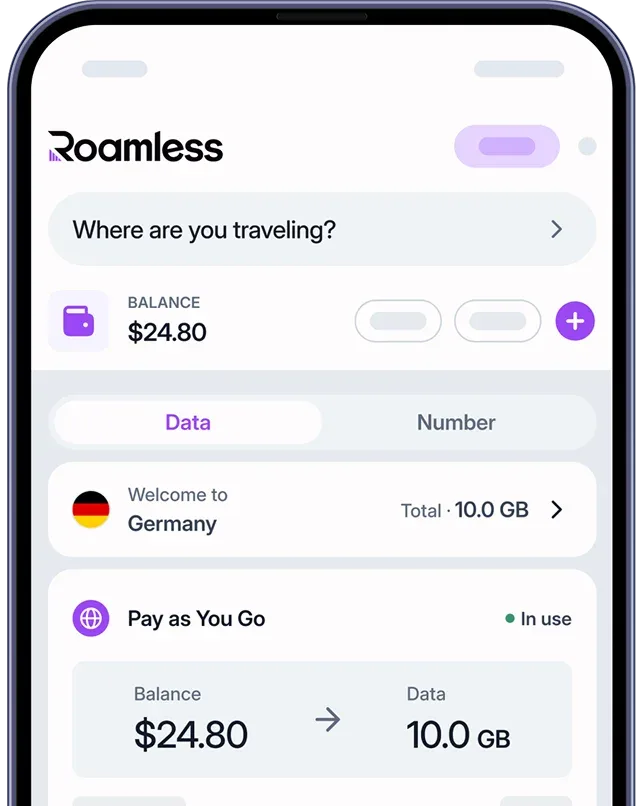
A local phone number. Some eSIM providers go beyond data. With Roamless Numbers, you can get a local phone number for the UK, Canada, or Australia, right inside the Roamless app. Useful if you live in one country and regularly receive calls on a number from another, or need a local number for work without carrying a second device.
Smartwatches and tablets. eSIM isn't only for phones. Most Apple Watches now include eSIM, letting you leave your phone behind and still receive calls and messages on your wrist. Cellular iPads use eSIM too, making it easy to add a local data plan for a trip without hunting down a local SIM card.
Which phones and devices support eSIM?
eSIM is now standard on most modern smartphones. Coverage across major brands:
iPhone: Every iPhone from the XS (2018) onwards supports eSIM. iPhone 14 and later models sold in the US are eSIM-only, with no physical SIM tray at all. The full list of eSIM-compatible iPhones includes every model from XS through the current generation.
Samsung Galaxy: Standard on the Galaxy S series from S21 onwards, and increasingly across mid-range models. Samsung's eSIM-compatible lineup now covers most phones sold new in the last three years.
Google Pixel: All Pixel phones from the Pixel 2 onwards support eSIM. Google Pixel eSIM support is consistent across the range.
Other Android: Motorola, OnePlus, Xiaomi, and others have added eSIM support across a growing number of models. If you're unsure, check your specific device here.
Tablets: Cellular iPad models (iPad Air, iPad Pro, iPad mini) all support eSIM. Android tablets vary by model.
Smartwatches: Apple Watch Series 3 and later support eSIM. Samsung Galaxy Watch and other Wear OS devices support it on newer models.
What if my phone doesn't support eSIM?
Physical SIM cards still work fine, and a local SIM in your destination remains a solid option. But if you're due for an upgrade, eSIM compatibility is worth factoring in, as it's standard on almost anything bought new in the last two or three years.
How many eSIMs can you have?
You can store more eSIM profiles on your phone than you can run at once. Most recent iPhones can store up to 8 profiles but only have two active simultaneously. On eSIM-only models (iPhone 14 US and later), that's two eSIMs active at a time with no physical SIM slot. The full breakdown of iPhone eSIM limits varies slightly by generation. Android limits vary more widely by manufacturer. Samsung, Pixel, and other Android eSIM storage limits depend on the specific device. Running two eSIMs simultaneously without any physical SIM is called Dual eSIM, useful if you've moved to an eSIM-only iPhone or want to run a personal and work number on the same device.
How to activate an eSIM
Short version: buy a plan, scan the QR code or use the provider's app, done. The process takes under five minutes on most devices.
Install your eSIM before you need it, ideally before you fly. Once installed, it sits dormant until it connects to a carrier network in your chosen destination. The plan's data only starts being used from that first connection, not from the moment of purchase.
On iPhone, go to Settings > Cellular > Add eSIM. On Android, the path varies by manufacturer but is usually in Settings > Network & Internet > SIMs.
For step-by-step instructions, activating on iPhone and activating on Android each have their own process. Typical eSIM activation times vary depending on the provider and device.
For the technically curious: how eSIM actually works
The eUICC chip
The chip isn't just called an eSIM. Its technical name is an eUICC: embedded Universal Integrated Circuit Card. It's a secure element; a tamper-resistant hardware module manufactured to GSMA's eSIM specifications that stores carrier profiles in encrypted form. The eUICC is what gives eSIM its security properties. It cannot be cloned through normal means, and its contents can't be read even if the chip were physically removed from the device.
The EID
Every eSIM chip has a unique 32-digit identifier called the EID (Embedded Identity Document). It identifies the physical chip itself, independent of which carrier profile is currently active; think of it as the serial number for the eSIM hardware, not for any specific plan. If a carrier asks for your eSIM identifier during setup or troubleshooting, the EID is what they want. What the EID is and where to find it on your specific device varies slightly by manufacturer.
The SM-DP+ address
When activating an eSIM manually, without scanning a QR code, you'll sometimes be asked for an SM-DP+ address. This is the URL of the Subscription Manager Data Preparation Plus server, a secure server operated by your eSIM provider that holds your profile waiting for your device to collect it. You enter this address alongside an activation code, your phone connects to that server, and the profile downloads. What the SM-DP+ address is and when you'd need to enter it manually are explained in more detail if you've run into this during setup.
Profiles and the profile lifecycle
A profile is the carrier-specific configuration stored on your eSIM: the subscription credentials your phone needs to register on a particular network. Profiles can be in three states:
Enabled: Active and in use
Disabled: Stored on the chip but not active
Deleted: Removed from the chip entirely
Switching between profiles is a matter of enabling one and disabling another. No data is lost during the switch. The disabled profile stays on the chip, ready to re-enable when you need it.
Why this is secure
The eUICC communicates with the SM-DP+ server over a mutually authenticated, encrypted connection. Neither party can impersonate the other. Profiles are cryptographically protected both in transit and at rest on the chip. SIM-swap fraud, where an attacker convinces a carrier to transfer your number to a new SIM, becomes significantly harder when the identifier is a hardware-bound EID rather than a removable card someone can physically hand over at a store.
Frequently asked questions
What does eSIM mean?
eSIM stands for embedded SIM. The embedded part means it's built permanently into your device rather than being a removable card.
What is an eSIM card used for?
The same things a physical SIM is used for: connecting to a mobile network, making calls, sending SMS, and using mobile data. The difference is setup and management; it all happens digitally, no hardware required.
What is eSIM activation?
Activation is the process of downloading a carrier profile to your eSIM chip. Usually done by scanning a QR code or using a provider's app. Once activated, your device registers on the carrier's network.
What is an eSIM profile?
A profile is the set of credentials stored on your eSIM that identifies you to a carrier's network. You can store multiple profiles on one chip. Only one (or two on dual-SIM devices) can be active at a time.
What is the EID on an eSIM?
The EID (Embedded Identity Document) is your eSIM chip's unique 32-digit hardware identifier. Different from your phone number and from the ICCID of any active plan. Some carriers ask for it during setup or troubleshooting.
What is a global eSIM?
A global eSIM is a plan designed to work across multiple countries on a single purchase. Rather than buying a new plan for every destination, one Balance or one Data Plan covers you wherever you go. Roamless Pay as You Go works this way: one Balance, 200+ destinations.
What is a data-only eSIM?
A data-only eSIM provides mobile internet but no local phone number for traditional calls or SMS. Most travel eSIMs are data-only. You keep your existing number active on your home SIM or eSIM; the travel eSIM handles data.
Is an eSIM safe?
Yes. The chip can't be removed, the provisioning process is end-to-end encrypted, and the eUICC is a tamper-resistant hardware element. The security properties of eSIM compared to a physical SIM go deeper than most people expect.
What is VoIP eSIM?
Some eSIM providers include voice and SMS functionality via VoIP (Voice over IP): calls made through the app over your data connection rather than through a traditional carrier call. This lets you make and receive calls without needing a local phone number on the eSIM itself.
What is eSIM on a car?
Connected vehicles use eSIM for features like built-in navigation, emergency calling, and over-the-air software updates. The same remote provisioning technology that works in phones works in cars, the main difference is that automotive eSIMs are certified to M2M (machine-to-machine) rather than consumer specifications.
eSIM glossary
eSIM: An embedded SIM chip built permanently into your device. Cannot be removed or lost.
eUICC: The technical name for the eSIM chip (embedded Universal Integrated Circuit Card). A secure hardware element that stores carrier profiles in encrypted form.
Profile: A carrier's credentials stored on your eSIM. You can store multiple profiles but only activate one or two at a time depending on your device.
EID: The unique 32-digit hardware identifier for your eSIM chip. Think of it as the chip's serial number, separate from any phone number or plan.
SM-DP+ address: The server address your phone connects to when downloading an eSIM profile manually, without scanning a QR code.
ICCID: A unique identifier for an active SIM profile. Different from the EID, which identifies the chip itself.
Dual SIM: Using two connections simultaneously, typically a physical SIM and an eSIM, or two eSIMs on an eSIM-only device.
Pay as You Go: A flexible data option where you top up a Balance and use it across countries as needed, with no fixed expiry.
Data Plan: A fixed data package tied to a specific country or region.