FaceTime is a communication service created by Apple that enables video and audio calls over the internet. It works between Apple devices and can be used both domestically and internationally. When FaceTime is used across different countries, the service relies on Wi Fi or mobile data instead of standard calling networks. For this reason, understanding how FaceTime functions internationally is important for recognizing when costs may be related to internet usage rather than the service itself.

Is FaceTime Free Internationally?
Yes, FaceTime is free to use internationally as long as both devices are connected to Wi Fi. According to Apple user discussions, FaceTime does not create international charges because it works through an internet connection instead of traditional phone networks. When Wi Fi is used, FaceTime activity does not appear as a charge on the phone bill. [1]
FaceTime uses data rather than voice minutes. If mobile data is used instead of Wi Fi, the mobile carrier may apply standard data or roaming fees. These charges are related to internet usage and not to FaceTime itself. FaceTime does not function as a traditional international calling service.
What Is FaceTime and How Does It Work?
FaceTime is Apple’s built in communication service that allows users to make video and audio calls on Apple devices such as iPhone, iPad, Mac, and Apple Watch. The service is integrated into the operating system, so no additional downloads are required. Users can start a call directly from their contacts using a simple interface.
FaceTime operates over the internet using VoIP technology, which means calls are made through Wi Fi or mobile data rather than traditional phone networks. This allows FaceTime to function both locally and internationally, depending on the available internet connection.
Users can make either video or audio calls based on their preference or connection quality. FaceTime is designed to work exclusively between Apple devices, so both parties must be using compatible Apple hardware. As long as an internet connection is available, FaceTime can be used to communicate with others regardless of location.
How to Use FaceTime Internationally?
FaceTime can be used internationally on Apple devices as long as an internet connection is available. The FaceTime app is built into iPhone, iPad, and Mac devices, so no additional installation is required. [2] To start using FaceTime internationally, follow the steps below.
Connect your device to Wi Fi or enable mobile data.
Open the FaceTime app on your Apple device.
Sign in using your Apple ID if you are not already signed in.
Select a contact using their phone number or email address associated with their Apple ID.
Start a video or audio FaceTime session.
FaceTime works through an internet connection and does not rely on traditional phone networks. Availability may vary depending on region and local regulations, but the setup and usage process remains the same across supported countries.
What Are Alternatives to FaceTime?
FaceTime is limited to Apple devices, which means it cannot be used in every situation or on every platform. In cases where different operating systems are involved, several other applications offer video and audio communication over the internet. These services provide similar core features and are widely used for both personal and professional communication.
Popular alternatives include WhatsApp, Skype, Zoom, Google Meet, and Facebook Messenger. These applications support video and audio communication, messaging, and group interactions across multiple devices. Because they work on various platforms, they allow users to stay connected regardless of the device being used. These alternatives rely on internet connections rather than traditional phone networks and can be accessed from smartphones, tablets, and computers. This makes them practical options for communication across different platforms and locations.
Tips for Using FaceTime Abroad
FaceTime can be used while traveling abroad through an internet connection rather than traditional mobile networks. Proper setup and network selection support stable usage and help manage data consumption.
Connect to Wi Fi whenever possible to limit mobile data usage.
Ensure FaceTime is enabled in the device settings before traveling.
Sign in with an Apple ID to access contacts and FaceTime features.s
Be aware that FaceTime availability may vary by country.
Keep device software updated to maintain compatibility and performance.
Making International Calls with Roamless
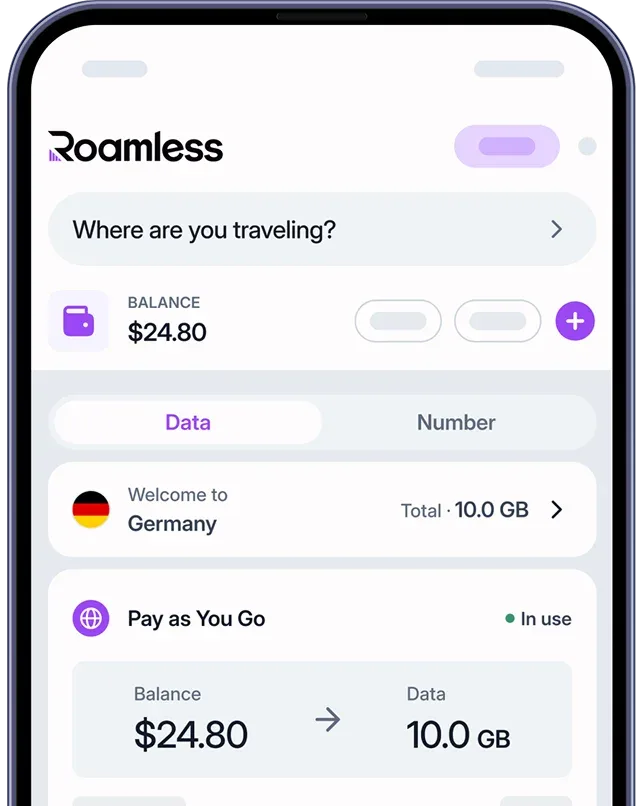
Using a global eSIM like Roamless makes it easier to stay connected while traveling internationally. In addition to mobile data connectivity, Roamless includes an in-app voice calling feature that allows users to reach international phone numbers without changing physical SIM cards.
In-app calling: Roamless includes a built-in voice feature that allows calls to phone numbers in more than 200 destinations directly from the app.
Pay-as-you-use: There are no fixed plans, and charges apply only to the minutes used.
Affordable rates: International calling rates start from $0.04 per minute.
Multiple connection options: Roamless works alongside WiFi, a local SIM, or the Roamless eSIM.
Learn more about this option on our page for Cheap International Calling.
FaceTime can be used abroad over Wi Fi, with availability and data usage depending on the quality of the internet connection and local restrictions. A global eSIM like Roamless can provide mobile data access when Wi Fi is not available and reduce dependence on traditional roaming services while traveling.
You can also visit our pages on Does FaceTime Use Data? and How to Use FaceTime without Wi-Fi.
Frequently Asked Questions
Is FaceTime free for international calls?
Yes. FaceTime does not charge for international use when connected to Wi Fi because it works over the internet rather than traditional phone networks. Apple does not apply international calling fees for FaceTime itself. Any costs depend on the type of internet connection being used.
Is FaceTime free internationally on data?
No. When FaceTime is used with mobile data, data or roaming charges may apply depending on the user’s mobile carrier and data plan. These charges are billed by the carrier, not by Apple. FaceTime does not include free mobile data for international use.
Is FaceTime available on Android?
No. FaceTime is only available on Apple devices and does not work on Android phones or tablets. Both participants must use compatible Apple devices to communicate through FaceTime. Android users need alternative apps for video and audio communication.
How much data does a FaceTime call use?
FaceTime data usage depends on the type of communication. Video typically uses around 3 to 5 MB per minute, while audio uses approximately 1 to 2 MB per minute. Data usage can increase during longer sessions or with higher video quality.
Can you use FaceTime without WiFi?
Yes. FaceTime can be used without WiFi by using mobile data. In this case, data usage counts toward the user’s mobile plan and may result in roaming charges when abroad. The experience depends on network quality and carrier coverage.
Sources:
[1] Apple Support Communities. FaceTime free for international use. https://discussions.apple.com/thread/3409831?sortBy=rank
[2] Apple Support. Make a FaceTime call on iPhone. https://support.apple.com/en-us/HT204380