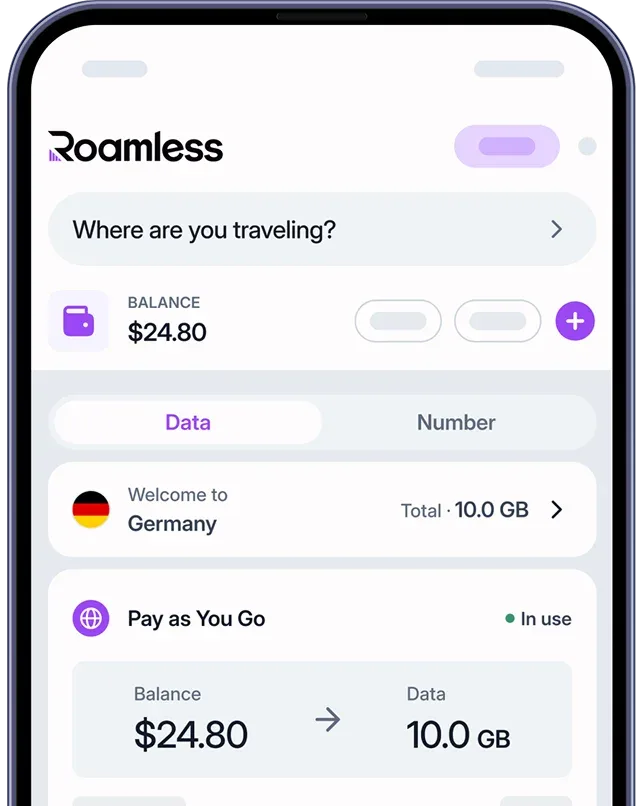
WhatsApp is one of the most popular messaging apps worldwide, used for sending text messages, photos, videos, voice notes, and making calls over the internet. Data usage varies depending on how the app is used, with text messages using very little data and media sharing or calls increasing consumption. While WhatsApp is generally data-efficient, usage can add up with frequent media or calls. If you plan to use WhatsApp while traveling abroad, using a global eSIM like Roamless can help you monitor and manage your mobile data more effectively.
How Much Data Does WhatsApp Use?
WhatsApp uses very little data for text messaging but significantly more for media sharing and calls. Text-only chats typically consume around 1–2 MB per hour, while sharing photos, voice messages, or GIFs can increase usage to 40–100 MB per hour. Frequent video sharing or voice and video calls can raise data usage to 200–300 MB per hour. WhatsApp only uses data when messages, media, or calls are actively sent or received. The table below shows estimated WhatsApp data usage per minute and per hour:
Messaging Activity | Data Usage per Minute | Data Usage per Hour |
|---|---|---|
Light usage (text-only messages) | About 20–40 KB | About 1–2 MB |
Moderate usage (texts with photos, voice messages, or GIFs) | About 700 KB – 1.5 MB | About 40–100 MB |
Heavy usage (frequent video sharing or voice/video calls) | About 3–5 MB | About 200–300 MB |
Table 1: Estimated Overall WhatsApp Data Usage by Messaging Activity
Note: Photos, videos, and voice or video calls have the biggest impact on WhatsApp data usage. Video calls generally consume more data than voice calls, and higher media quality or longer call durations increase total data usage.
Disclaimer: Data usage values are estimates and may vary depending on device settings, media quality, call duration, network conditions, and personal usage habits. For the most accurate information, check WhatsApp data usage in your device’s mobile data settings.
How to Check WhatsApp Data Usage on Your Mobile Devices
Knowing how much data WhatsApp uses on your mobile device can help you manage your data more effectively, especially when sending media files or making calls while traveling. Both iOS and Android devices allow you to check WhatsApp’s mobile data usage directly from system settings, as well as within the app itself.
For iPhone Devices:
Open Settings.
Tap Cellular or Mobile Data.
Scroll down to the list of apps.
Find WhatsApp to see how much mobile data it has used.
For Android Devices:
Open Settings.
Tap Network & Internet or Connections.
Tap Data usage or Mobile data usage.
Select App data usage.
Find WhatsApp to view its mobile data consumption.
Note: You can also check detailed WhatsApp data usage directly within the app on both iOS and Android by opening WhatsApp, going to Settings [1], selecting Storage and Data, and tapping Network Usage to view sent and received data totals [2].
Disclaimer: Menu names and data usage screens may vary depending on your device model, Android version, or iOS version. For the most accurate information, refer to your device’s current system settings or WhatsApp’s in-app usage details.
How to Reduce WhatsApp Data Usage
You can reduce WhatsApp data usage by adjusting how the app handles media, calls, and background activity. Since photos, videos, and calls consume much more data than text messages, managing these settings helps you stay in control of your mobile data, especially while traveling.
Send Text Messages When Possible: Text-only messages use very little data and are the most data-efficient way to communicate on WhatsApp.
Enable Data Saver and Limit Calls on Mobile Data: WhatsApp includes a data-saving option for voice and video calls. Enabling this setting and limiting calls on mobile data helps reduce overall data consumption, especially for video calls.
Control Media Downloads and Quality: Disabling automatic media downloads on mobile data and lowering photo or video quality in WhatsApp settings can significantly reduce data usage without stopping media sharing completely.
Restrict Background Data Usage: WhatsApp may use small amounts of data in the background for syncing messages or notifications. Limiting background data access in your device settings can help prevent unnecessary usage.
Use a Global eSIM: A global eSIM like Roamless lets you monitor mobile data usage in real time, making it easier to manage WhatsApp data usage confidently while traveling.
Comparing WhatsApp Data Usage with Other Messaging Apps
WhatsApp is generally a data-efficient messaging app and only uses mobile data when messages, media, or calls are actively sent or received. It applies compression to photos, videos, and voice messages, but frequent media sharing or calls can still increase data usage. Differences in media quality, encryption, and usage habits can affect how much data each messaging app consumes.
Messaging App | Messaging Activity | Approximate Data Usage per Hour |
|---|---|---|
Text messages, photos, voice messages, short videos, and calls | 40–100 MB | |
iMessage | Text messages with occasional photos and videos | 1–50 MB |
Signal | Encrypted text messages, photos, and voice messages | 40–120 MB |
Telegram | Texts, media messages, and frequent file sharing | 50–200 MB |
Table 2: Estimated Hourly Data Usage by Popular Messaging Apps Based on Messaging Activity
For more information, you can also read our post on How Much Data Does iMessage Use.
Note: Data usage values are estimates based on common messaging behavior. Actual data consumption may vary depending on message frequency, media quality, call duration, app settings, and individual usage habits.
Using WhatsApp with Roamless eSIM Abroad
Using WhatsApp while traveling abroad can increase mobile data usage, especially when sending photos, voice messages, videos, or making voice and video calls. Since WhatsApp relies entirely on an internet connection rather than traditional SMS or MMS, having reliable mobile data is essential when traveling. A global eSIM like Roamless makes it easier to use WhatsApp abroad while keeping track of your mobile data usage.
Wide Global Coverage: Roamless provides mobile data service in over 200 destinations, allowing you to use WhatsApp in many countries without changing physical SIM cards.
High-Speed Mobile Connectivity: Roamless supports fast mobile data speeds, including 5G where available, so WhatsApp messages, media, and calls can be sent and received without delays.
Unlimited Hotspot Support: Roamless includes unlimited hotspot sharing, allowing you to use WhatsApp on multiple devices such as your phone, tablet, or laptop when needed.
iOS and Android Device Compatibility: Roamless works with both iPhone and Android devices that support eSIM and does not require removing your physical SIM while traveling.
In-App Data Tracking Feature: Roamless offers real-time data tracking in the app, helping you monitor how much mobile data WhatsApp uses during your trip.
For more information, you can also read our posts on How to Use WhatsApp Internationally,Does WhatsApp Work in China, and Does WhatsApp Work in Dubai.
Frequently Asked Questions
Does WhatsApp use a lot of mobile data?
WhatsApp does not use a lot of mobile data for text-only messaging. Data usage increases mainly when photos, voice messages, videos, or voice and video calls are used frequently.
How much data does WhatsApp use per hour?
WhatsApp typically uses around 1–2 MB per hour for text-only messages. When photos, voice messages, or calls are used regularly, data usage can increase to tens or even hundreds of megabytes per hour.
Does WhatsApp use data in the background?
WhatsApp may use small amounts of data in the background for message syncing and notifications, but most data usage occurs when messages, media, or calls are actively sent or received.
Is WhatsApp’s data usage different from other messaging apps?
WhatsApp’s data usage varies depending on how the app is used, and differences between messaging apps are generally related to features used and individual usage habits rather than the app itself.
Sources:
[1] WhatsApp Help Center. ‘’About data roaming charges’’. Accessed January, 2026. – https://faq.whatsapp.com/5315147411944059/?cms_platform=android
[1] WhatsApp Help Center. ‘’About data roaming charges’’. Accessed January, 2026. – https://faq.whatsapp.com/5315147411944059/?cms_platform=iphone&helpref=platform_switcher
[2] WhatsApp Help Center. ‘’About WhatsApp charges’’. Accessed January, 2026. – https://faq.whatsapp.com/494964175875406/?cms_platform=android
[2] WhatsApp Help Center. ‘’About WhatsApp charges’’. Accessed January, 2026. – https://faq.whatsapp.com/494964175875406/?cms_platform=iphone&helpref=platform_switcher