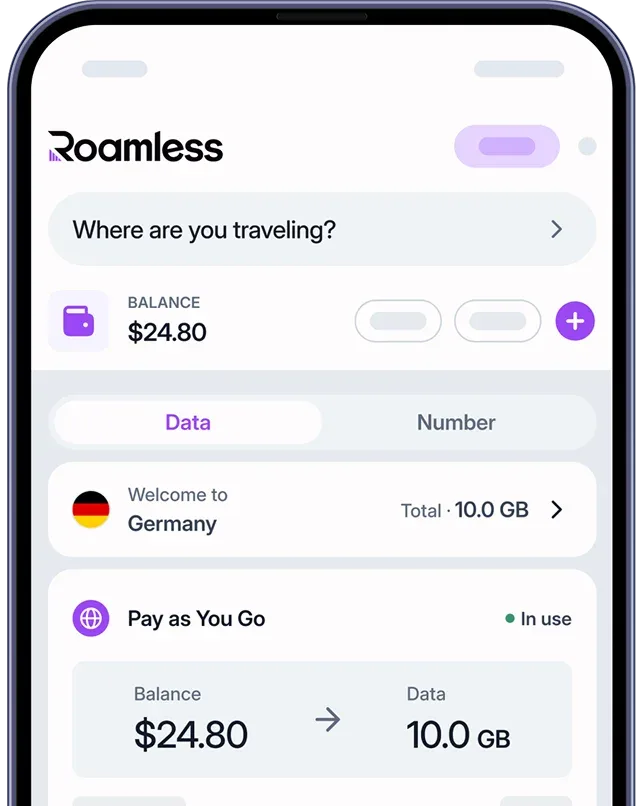
iMessage is Apple’s built-in messaging service used by millions of iPhone, iPad, and Mac users around the world. How much data iMessage uses depends on how you use the app. Sending plain text messages uses very little data, while sending photos, voice messages, GIFs, and videos through iMessage can increase data usage quickly. On average, iMessage may use only a few megabytes per hour for text-only chats, but this can rise to hundreds of megabytes per hour when media files are sent frequently. If you plan to use iMessage while traveling abroad, using a global eSIM like Roamless can help you monitor and manage your mobile data more effectively.
How Much Data Does iMessage Use?
iMessage typically uses less than 1 MB per hour for text-only conversations and can reach300–700 MB per hour when photos, voice messages, GIFs, and videos are sent frequently. Text messages consume very little data, while media messages require more data to transfer. iMessage does not use data continuously and only consumes data when messages or media files are sent or received. The table below shows estimated iMessage data usage per minute and per hour:
Messaging Activity | Data Usage per Minute | Data Usage per Hour |
|---|---|---|
Light usage (text-only messages) | About 100–500 KB | About 1–5 MB |
Moderate usage (texts with photos, voice messages, or GIFs) | About 1–3 MB | About 50–150 MB |
Heavy usage (sending frequent photo and video messages) | About 5–12 MB | About 300–700 MB |
Table 1: Estimated Overall iMessage Data Usage by Messaging Activity
Note: Photo and video messages have the biggest impact on iMessage data usage. Longer videos, higher media quality, and repeated media downloads across multiple Apple devices can further increase data consumption.
Disclaimer: Data usage values are estimates and may vary depending on device settings, message content, media quality, network conditions, and personal usage habits. For the most accurate information, check iMessage data usage in your device’s mobile data settings.
How to Check iMessage Data Usage on iOS Devices
Knowing how much data iMessage uses on your iOS device can help you manage your mobile data more effectively, especially when traveling or sending media messages frequently. iOS allows you to check how much mobile data iMessage has used directly from your device settings.
For iOS Devices:
Open Settings.
Tap Cellular or Mobile Data.
Scroll down to the list of apps.
Find Messages to see how much mobile data iMessage has used [1].
Note: iMessage data usage appears under the Messages app, as iMessage does not have a separate data usage entry in iOS. On iPad models without cellular support, mobile data usage is not available.
Disclaimer: Menu names and data usage screens may vary depending on your device model and iOS or iPadOS version. For the most accurate information, refer to your device’s current system settings.
How to Reduce iMessage Data Usage
You can reduce iMessage data usage by adjusting how and when you send media messages. Since photos and videos use more data than text messages, managing media usage helps you stay in control of your mobile data, especially while traveling.
Send Text Messages When Possible: Text-only messages use very little data and are the most data-efficient way to communicate on iMessage.
Limit Video Messages on Mobile Data: Video messages consume large amounts of data. Sending them selectively helps prevent unnecessary data usage.
Use Wi-Fi for Large Media Files When Available: Sending photos and videos over Wi-Fi, when available, can help reduce mobile data consumption without limiting functionality.
Keep Media Messages Short and Necessary: High-resolution photos and long videos require more data to transfer. Sending only essential media helps lower usage.
Manage iCloud Message Syncing: Syncing messages across multiple Apple devices may increase mobile data usage. Reviewing iCloud message settings can help reduce unnecessary data consumption.
Use a Global eSIM: A global eSIM like Roamless lets you monitor your mobile data usage in real time, helping you manage iMessage data usage more confidently while traveling.
Comparing iMessage Data Usage with Other Messaging Apps
iMessage generally uses less mobile data than most other messaging apps. It does not continuously sync content and mainly uses data when messages or media files are sent or received. Media quality, compression methods, and how often photos, videos, or voice messages are sent can still affect total data usage.
Messaging App | Typical Messaging Activity | Approximate Data Usage per Hour |
|---|---|---|
iMessage | Text messages with occasional photos and videos | 1–50 MB |
Signal | Encrypted text and media messages | 40–120 MB |
Texts, photos, voice messages, and short videos | 50–150 MB | |
Telegram | Texts, media messages, and frequent file sharing | 50–200 MB |
Table 2: Estimated Hourly Data Usage by Popular Messaging Apps Based on Messaging Activity
For more information, you can also read our posts on Is iMessage Free Internationally and How to Use Whatsapp Internationally.
Note: Data usage values are estimates based on typical messaging behavior. Actual data consumption may vary depending on message frequency, app settings, and individual usage habits.
Using iMessage with Roamless eSIM Abroad
Using iMessage while traveling abroad can increase mobile data usage, especially when sending photos, voice messages, GIFs, or videos. Since iMessage works through an internet connection instead of traditional SMS [2], having mobile data available is important when traveling. A global eSIM like Roamless makes it easier to use iMessage and keep track of mobile data usage.
Wide Global Coverage: Roamless provides mobile data service in over 200 destinations, allowing you to use iMessage in many countries without changing SIM cards.
High-Speed Mobile Connectivity: Roamless supports fast mobile data speeds, including 5G where available, so messages and media files can be sent and received without delays.
Unlimited Hotspot Support: Roamless includes unlimited hotspot sharing, which allows you to use iMessage on multiple Apple devices when needed.
iOS Device Compatibility: Roamless works with iPhone and cellular-enabled iPad devices and does not require removing a physical SIM card while traveling.
In-App Data Tracking Feature: Roamless offers real-time data tracking in the app, helping you monitor how much mobile data iMessage uses during your trip.
Frequently Asked Questions
Does iMessage use a lot of mobile data?
iMessage does not use a lot of mobile data when you send only text messages. Data usage increases mainly when photos, voice messages, GIFs, or videos are sent frequently.
How much data does iMessage use per hour?
iMessage can use less than 1 MB per hour for text-only conversations. When photos and videos are sent regularly, data usage can increase to several hundred megabytes per hour.
Does iMessage use data in the background?
iMessage does not continuously use data in the background. Mobile data is mainly used when messages or media files are sent or received, although syncing across devices may use small amounts of data.
Is iMessage more data-efficient than other messaging apps?
iMessage generally uses less data than many other messaging apps, especially when conversations are mostly text-based. Data usage can still vary depending on media quality and usage habits.
Sources:
[1] Apple Support. ‘’Use mobile data on your iPhone or iPad’’. Accessed December, 2025. – https://support.apple.com/en-in/109323
[2] Apple Support. ‘’About iMessage’’. Accessed December, 2025. – https://support.apple.com/en-ph/guide/iphone/iph4e9799206/ios