Chicago O'Hare International Airport provides free, unlimited WiFi throughout all terminals. Passengers can connect by selecting the ''_Free_ORD_Wi-Fi'' network available across the airport. This guide outlines how to access the WiFi service and the steps to follow if any connection issues appear.
Does Chicago Airport Have Free WiFi?
Yes, Chicago Airport offers free and unlimited WiFi throughout all terminals, lounges, and public areas. The connection works well for browsing the internet, watching videos, and listening to music with no time limits.
Chicago Airport WiFi Name
The WiFi network you’ll need to connect to is ''_Free_ORD _Wi-Fi''. Make sure you select this exact network name.
Note: The network name (SSID) may vary, so check airport signs or ask at an information desk if unsure.
How to Connect to Chicago Airport Free WiFi
Connecting to free WiFi at Chicago Airport is easy and simple. Follow these steps:
Make sure your device’s WiFi is turned on.
Select “_Free_ORD_Wi-Fi” from your WiFi settings or network preferences.
Open your internet browser.
Under ORD Free Unlimited Wi-Fi, choose “Watch Ad to Connect”.
Accept the terms and conditions if prompted, then start browsing with unlimited access.
Note: Popup blockers may cause an error. Users should turn them off in their search engine when using the free WiFi.
Chicago Airport WiFi Not Working?
If you can’t connect to the free WiFi at Chicago Airport, try these steps:
Check your WiFi settings: Make sure WiFi is turned on and airplane mode is off.
Confirm the network name: Connect to “_Free_ORD_Wi-Fi”. Avoid similar or unofficial network names.
Move to another area: Signal strength may vary; try relocating to seating areas or near gates.
Open a browser manually: If the login page doesn’t appear, open your browser and enter any web address to trigger it.
Clear browser cache: Cached data or old sessions may block the portal. Clearing cookies can help.
Disable VPN temporarily: A VPN may prevent the login page from loading.
Reconnect to the network: Disconnect, wait a few seconds, then reconnect.
Note: If the issue continues, ask for help at an information desk or contact airport support staff.
eSIM: A Convenient Choice for Travelers
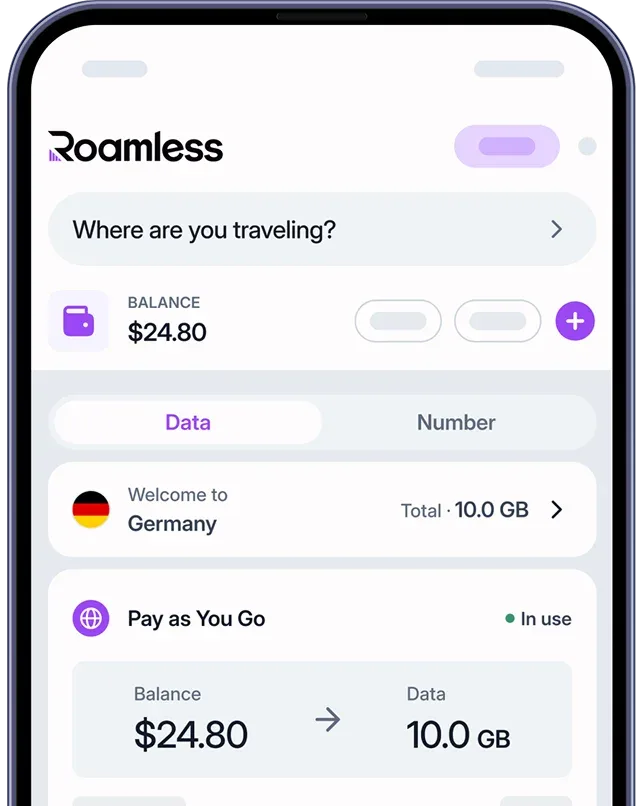
The free WiFi at Chicago airport is useful, but it only works inside the terminals. International travelers who want internet access throughout their stay in the United States may find an eSIM more convenient. With a global eSIM like Roamless, you can activate mobile data quickly without purchasing a physical SIM card:
Instant Activation: Get connected to mobile data the moment you arrive in the United States.
No Reliance on Public WiFi: Access mobile data without depending on airport or hotel WiFi.
Secure and Private: Keep your connection safe with private mobile data access.
Wide Coverage: Use your data throughout the United States.
Security Risks of Using Public WiFi Networks
Using public WiFi networks can involve several security risks. Common concerns include:
Data Interception: Information sent over open networks may be visible to others.
Fake Networks: Some WiFi names may appear official but are designed to steal data.
Unencrypted Connections: Certain networks may not properly protect your information.
Malware Threats: Infected devices on the same network could spread harmful files.
Screen Snooping: In crowded terminals, people nearby might see sensitive information.
Note: For maximum safety, avoid entering sensitive information such as passwords or banking details while using public WiFi.
For more information, you can read our guide onIs Airport WiFi Safe.
How Roamless eSIM Offers a Secure Alternative
Roamless eSIM provides a private and reliable internet connection without relying on public networks:
Secure Connection: Uses mobile networks with stronger protection than open WiFi.
Private Data Use: Access the internet through your own data plan.
Simple Activation: Install the eSIM before your trip; it activates automatically when you arrive.
No Physical SIM Card: Everything is handled digitally.
Global Coverage: Works in the United States and over 200 destinations worldwide.
For more information, visit our page on eSIM United States of America.
You can also check our other guides such as Charlotte Airport WiFi, Newark Airport WiFi, Paris Airport WiFi, Barcelona Airport WiFi, Rome Airport WiFi.
Source:
https://www.flychicago.com/ohare/ServicesAmenities/services/Pages/technology.aspx